
7 Best Period Tracking Apps to Help You Know Your Body
The best period tracking apps help you keep track of your cycle. You can log period dates, record symptoms and spot changes over time.
I’ve used Clue for years. I like its simple design and how easy it is to check my cycle history. I’ve also suggested it to friends who wanted an easy way to track their periods.
However, we all have different needs. For example, you may want to track your mood, plan for pregnancy or connect your app to a smartwatch.
So, how do you choose? For me, the best app is one you’ll enjoy using.
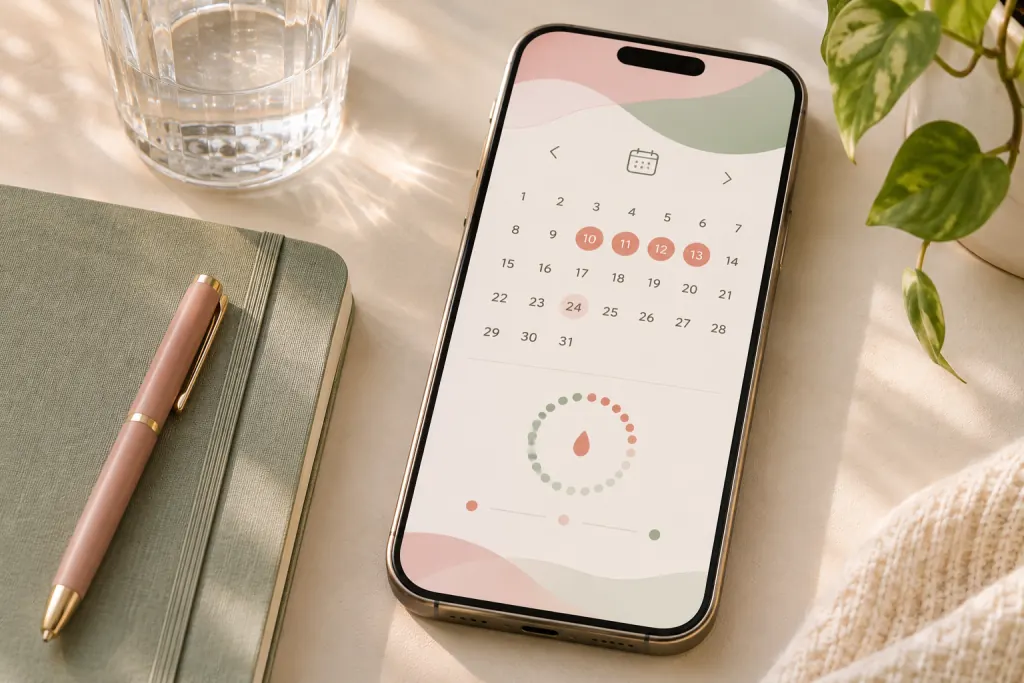
A simple way to keep cycle dates in view. Waihuini.com.
In this guide, we’ll look at seven popular apps. I’ll explain what each one offers. Plus, I’ll share what to check before paying and how to keep your data safe.
Best Period Tracking Apps at a Glance
The best period tracking apps offer different tools. For example, some are great for daily logs. Others focus on pregnancy, fertility or smartwatch features.
Here’s a quick look at all seven.
| App | Best for | Cost |
|---|---|---|
| Clue | Tracking periods and symptoms | Free, with paid extras |
| Flo | Cycle logs, pregnancy tips and community chats | Free, with paid extras |
| Natural Cycles | Birth control for eligible users | Paid, with possible device costs |
| Glow | Detailed fertility logs | Free, with paid extras |
| Ovia | Cycle, pregnancy and postpartum tracking | Check current plans and benefits |
| MyFLO | Cycle logs and lifestyle tips | Paid options |
| Apple Health | Simple tracking on an iPhone | Included with compatible devices |
Prices may vary by country. So, check the cost before you sign up. Also, check what you get and how to cancel.
1. Clue: One of the Best Period Tracking Apps for Daily Use
Clue is still my favourite app. I’ve used it for years because it’s simple and easy to follow.
Also, I like being able to look back at my records. I can see when my last period started and which symptoms I had.
As a result, I can notice changes more easily. It’s much better than trying to remember how I felt weeks ago.
For me, Clue is one of the best period tracking apps because it makes daily tracking feel simple.
Clue has a free version. However, you can also pay for Clue Plus to get more features.
Some watches and health apps can share data with Clue. Still, the type of data depends on your device and plan.
Explore Clue’s free and paid features.
Clue can also predict fertile days. However, these are only estimates.
Do not use Clue’s fertile-day predictions to prevent pregnancy.
Read Clue’s advice on fertile days.
2. Flo: Period Tracking, Pregnancy Tips and Community
Flo is another popular choice. It helps you track periods, symptoms and cycle changes.
In addition, Flo offers pregnancy tips and community chats. These may appeal to you if you enjoy learning from others.
Some of the best period tracking apps offer more than a calendar. Flo is one of them.
You can start with its free version. Then, if you want more features, you can try Premium.
Flo also has Anonymous Mode. This lets you use the app without sharing your name or email address.
However, there is something to keep in mind. If you use the app without a registered account, you may not be able to restore your records later.
You can also read Flo’s guide to restoring your data.
3. Natural Cycles: A Period App Used for Birth Control
Natural Cycles is different from most period trackers.
It has a regulated birth control mode called NC° Birth Control. It uses body temperature and cycle data to work out which days are fertile.
The company reports 93% effectiveness with typical use. This means about seven in 100 users become pregnant within a year.
With perfect use, it reports 98% effectiveness. That means about two in 100 users become pregnant within a year.
However, not all period apps work the same way. Some only predict dates. Natural Cycles has a birth control mode that must be used as directed.
On fertile days, users must follow the app’s advice. This includes using protection or avoiding vaginal sex.
Read Natural Cycles’ effectiveness guide.
Natural Cycles can work with certain Apple Watch and Oura models. So, check the exact device and app mode before you buy anything.
If you want to avoid pregnancy, speak with a doctor or nurse about your options.
Also, remember that Natural Cycles does not protect against sexually transmitted infections.
Read the NHS guide to natural family planning.
4. Glow: Detailed Fertility Tracking
Glow may suit you if you’re trying for a baby.
You can log your temperature, symptoms and ovulation-test results. You can also track cervical mucus, which changes during your cycle.
Glow puts these records in one place. In addition, it offers charts and community features.
As a result, these tools may help you see patterns over time.
However, a predicted ovulation date is not proof that ovulation has happened.
Glow also advises against using its tracker alone for birth control.
Explore Glow’s fertility tools.
5. Ovia: Tracking Through Different Life Stages
Ovia offers tools for periods, fertility, pregnancy and life after birth.
It also supports people going through the years around menopause.
As your needs change, you can change your goal in the app. This may be useful if you want to stay with one service over time.
For example, you may start by tracking your periods. Later, you may want pregnancy or postpartum tools.
Some users may remember Ovia’s older, separate apps. If you already have an account, check the latest instructions before moving your records.
6. MyFLO: Period Tracking and Lifestyle Tips
MyFLO combines period tracking with tips about food, exercise and daily habits.
The tips are linked to the different phases of your cycle.
I think these ideas can be interesting. However, I wouldn’t follow them as strict rules.
After all, everyone experiences their cycle differently. What works for one person may not work for another.
There is no single cycle-based workout plan that works for everyone. Instead, it’s better to adjust your routine to how you feel.
Read the research on cycle phases and exercise.
MyFLO also says its app cannot diagnose health conditions. Likewise, its predictions should not be used for birth control.
7. Apple Health: Easy Cycle Tracking for iPhone Users
If you have an iPhone, you may not need another app.
Apple Health has a built-in feature called Cycle Tracking. You can use it to record period dates and symptoms.
You can also add details such as pregnancy, breastfeeding and birth control use.
So, for iPhone users, one of the best period tracking apps may already be on their phone.
Some Apple Watches can also track overnight wrist temperature. This can help improve period predictions.
In addition, Apple Health may estimate when ovulation has already happened.
However, Apple warns that Cycle Tracking should not be used for birth control.
Read Apple’s Cycle Tracking guide.
Clue vs Flo: Which Period Tracking App Is Better?
If I had to choose between Clue and Flo, I would pick Clue.
I like its clean design. Also, I find it easy to log symptoms and check old records.
Flo may be a better fit if you want community chats and pregnancy information.
Both apps offer free versions. So, I would try those first before paying for extra features.
Here’s what I’d compare:
| Feature | What to look for |
|---|---|
| Daily tracking | Is it quick and easy? |
| Charts | Can you understand your cycle history? |
| Price | What do you get for free? |
| Privacy | Can you control or delete your data? |
| Smartwatch support | Does it work with your device? |
I’ve used Clue for years, so I can speak from personal experience. However, I haven’t tested every feature of the other apps.
When choosing between the best period tracking apps, don’t focus only on the number of features.
Instead, choose one that feels easy to use and gives you the tools you need.
Best Period Tracking Apps for Smartwatches
The best period tracking apps for smartwatches depend on your device.
First, think about what you want to track. For example, you may want to compare sleep, temperature or other health data with your cycle.
Some apps can receive data from a watch. However, others only support certain readings.
So, just because two apps connect doesn’t mean they share everything.
| App or platform | What to check |
|---|---|
| Apple Health | Does your Apple Watch support the feature? |
| Clue | Which data can your device share? |
| Flo | Which Apple Health permissions are available? |
| Natural Cycles | Is your exact watch or ring supported? |
| Samsung Health | Which cycle tools work on your device? |
Before you pay, check the app’s support page.
Also, review the data permissions. Only share information you’re comfortable sharing.
You can also read Samsung’s Cycle Tracking guide.
Period Tracking Apps After Giving Birth
Your cycle may change after you have a baby.
For example, your periods might take time to return. Breastfeeding can also affect when they start again.
As a result, period predictions may be less reliable.
You can become pregnant before your first period returns. The NHS says pregnancy can happen from three weeks after birth, even if you’re breastfeeding.
So, use your app to record changes. Don’t rely on its predictions to avoid pregnancy.
If you need birth control, speak with your midwife or doctor.
Read the NHS advice on sex and birth control after birth.
How to Get the Most From Period Tracking Apps
Even the best period tracking apps are only useful if you keep using them.
You don’t need to record every detail. Instead, start with a few simple things.
First, log the dates when your period starts and ends.
Next, choose two or three symptoms to track. These could include pain, mood or energy.
After a few months, look back at your records. You may start to notice patterns.
These notes can also help when you visit a doctor.
However, if you have heavy bleeding or pain that affects your daily life, seek medical advice.
Read the NHS guide to period problems.
It’s also worth checking your privacy settings.
For example, find out who can see your data. Then, learn how to save a copy and how to delete it.
If you connect a smartwatch, check what information the app can access.
Final Thoughts: Choosing the Best Period Tracking Apps
Ultimately, the best period tracking apps are the ones that fit your life.
If you want simple daily tracking, Clue or Apple Health may be a good place to start.
Flo may suit you if you enjoy pregnancy tips and community features.
Meanwhile, Glow and Ovia offer more tools for people tracking fertility or planning for a baby.
Natural Cycles is different because it has a regulated birth control mode. So, make sure you understand how it works before using it for that purpose.
For me, Clue remains my favourite.
I’ve used it for years because it’s simple. Also, I like having my cycle history in one place. It helps me notice changes without trying to remember everything.
In the end, you don’t need the most expensive app. You just need one that works for you.
For more everyday wellbeing ideas, explore my lifestyle articles on Waihuini.
